Neon Pinyin · 霓虹打字
A downloadable game for macOS
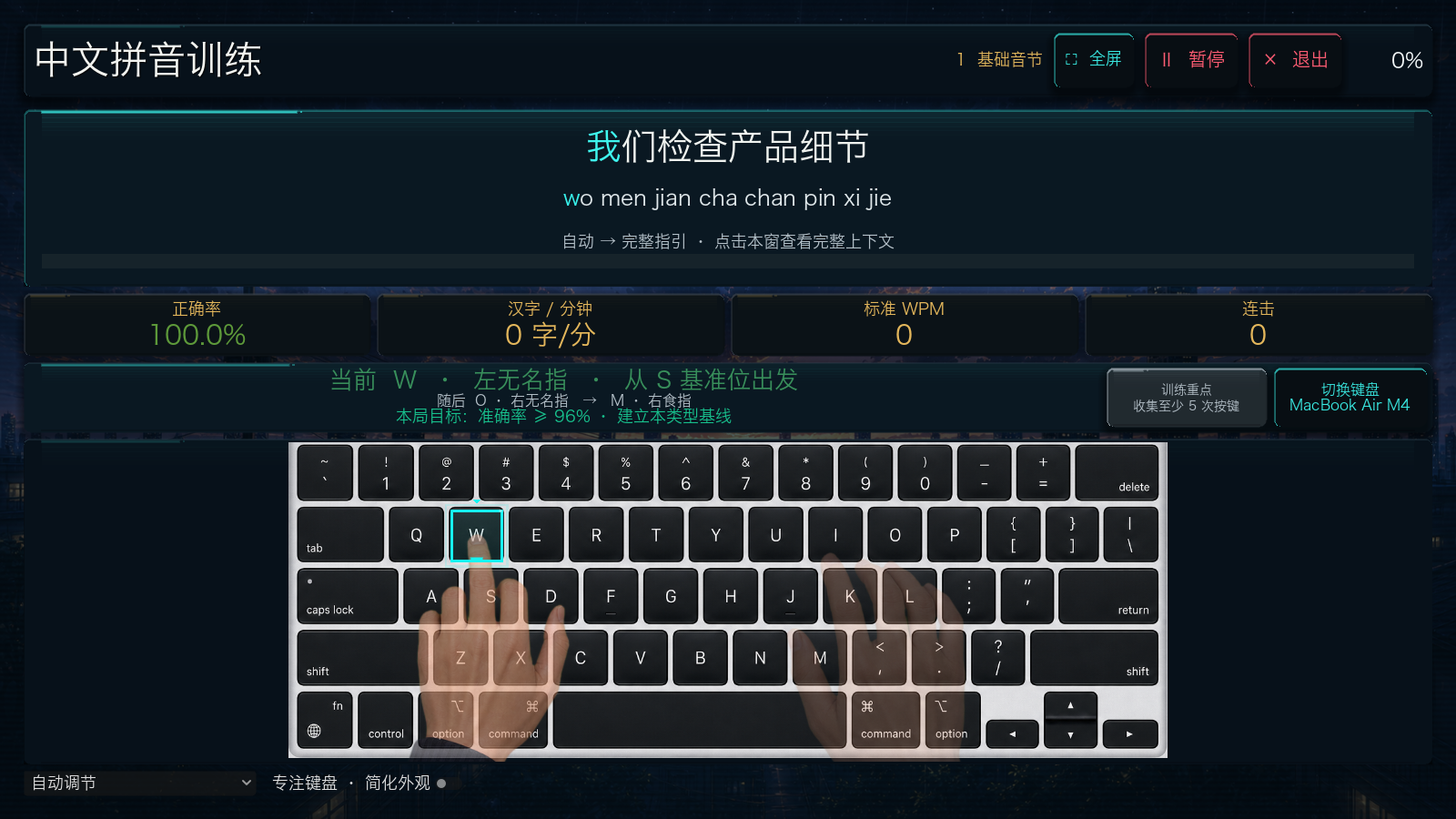
打一局,找到更顺手的节奏
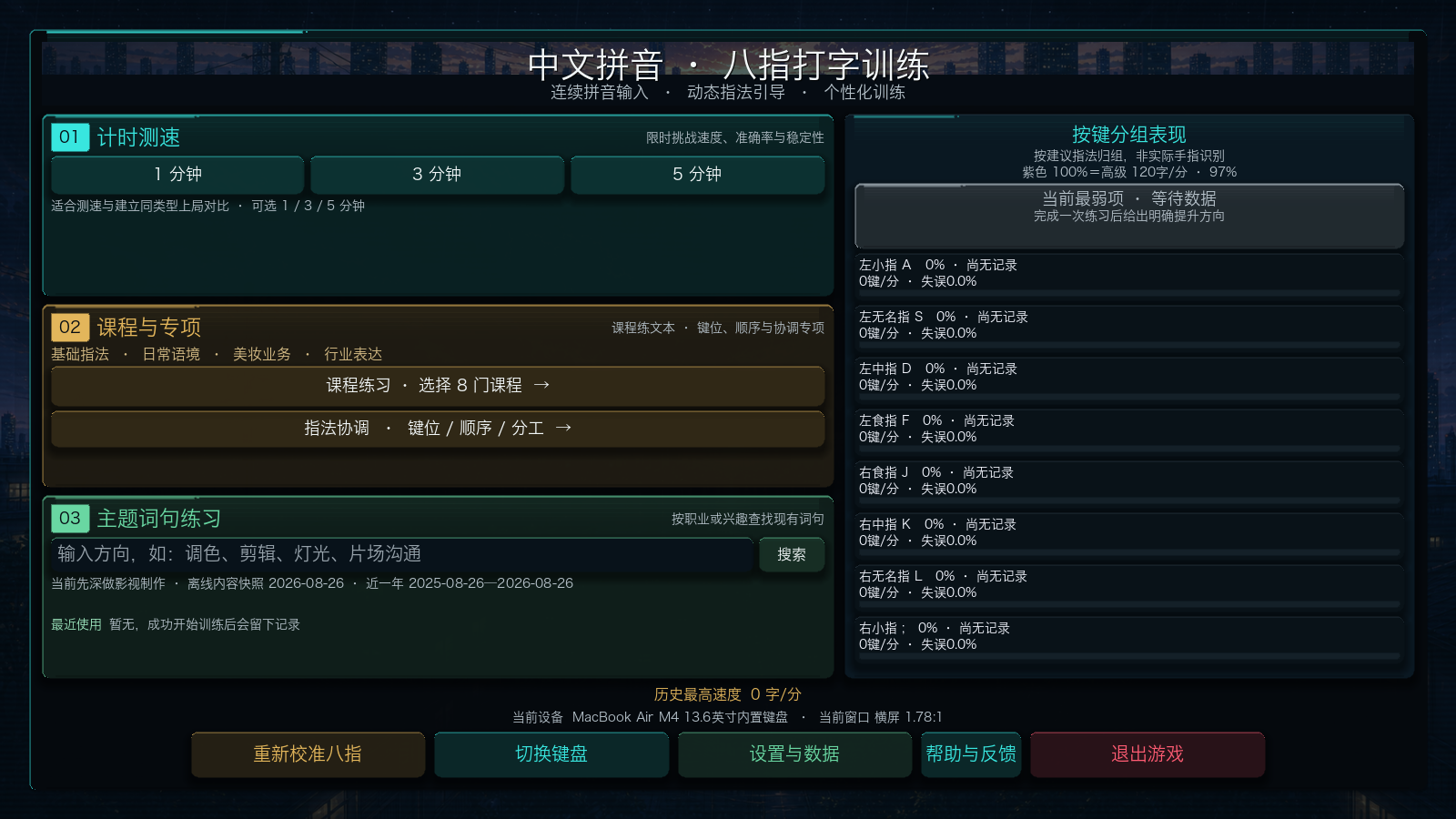
已经会拼音,想让中文打字更准、更顺?跟着汉字输入拼音,积累连击,在霓虹挑战中练好一个小目标。适合有拼音基础的中文学习者、想减少日常错键的用户,以及喜欢短局挑战的打字玩家。
Know Pinyin? Find your typing rhythm.
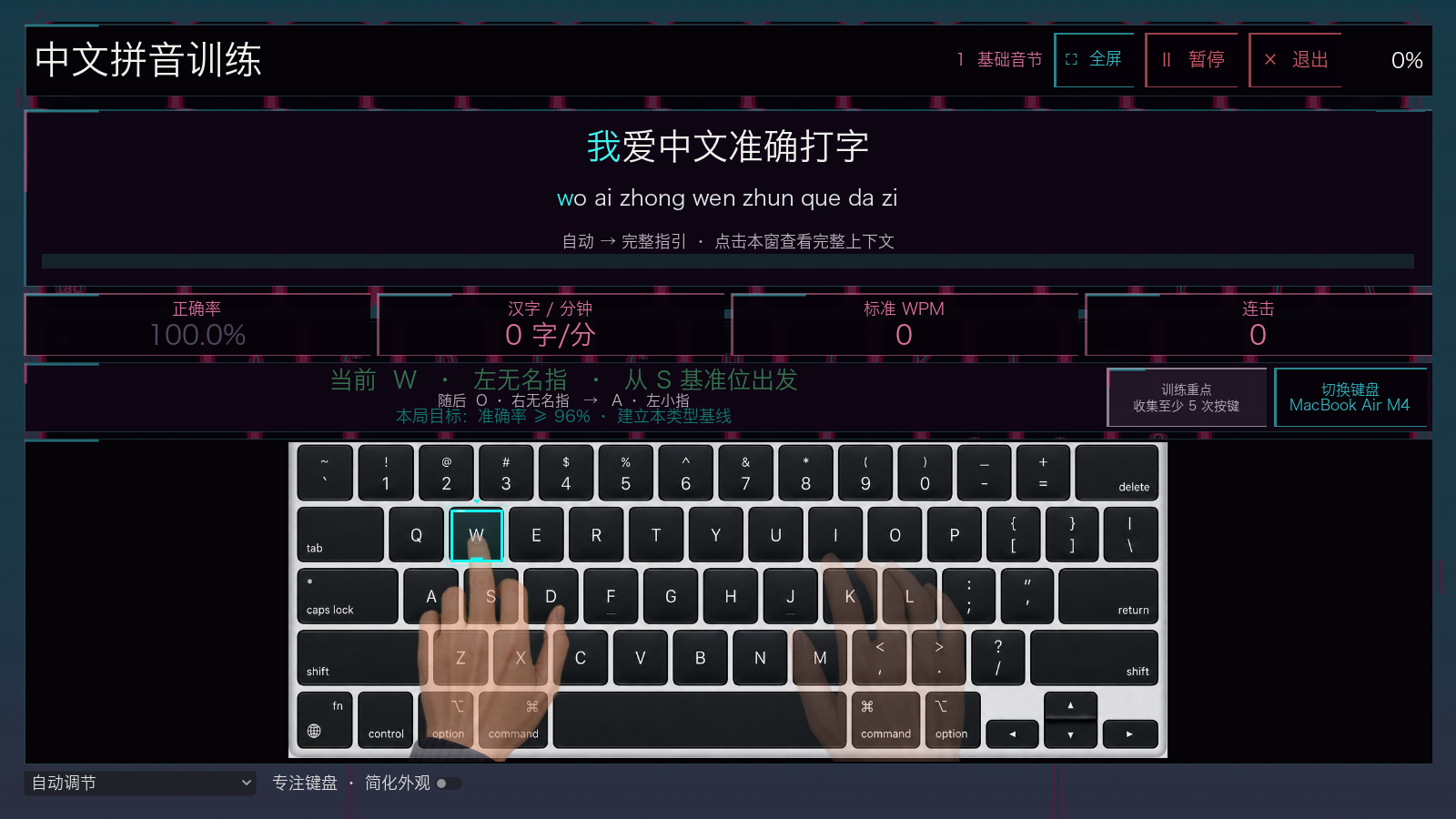
Practice continuous Mandarin Pinyin with a physical keyboard. Build a streak, challenge your accuracy, and work on the keys or transitions that interrupt your flow. For learners who already know Pinyin, everyday Chinese typists, and players who enjoy short skill-building challenges.
想改善哪里,就从哪里开始 / Pick a focus
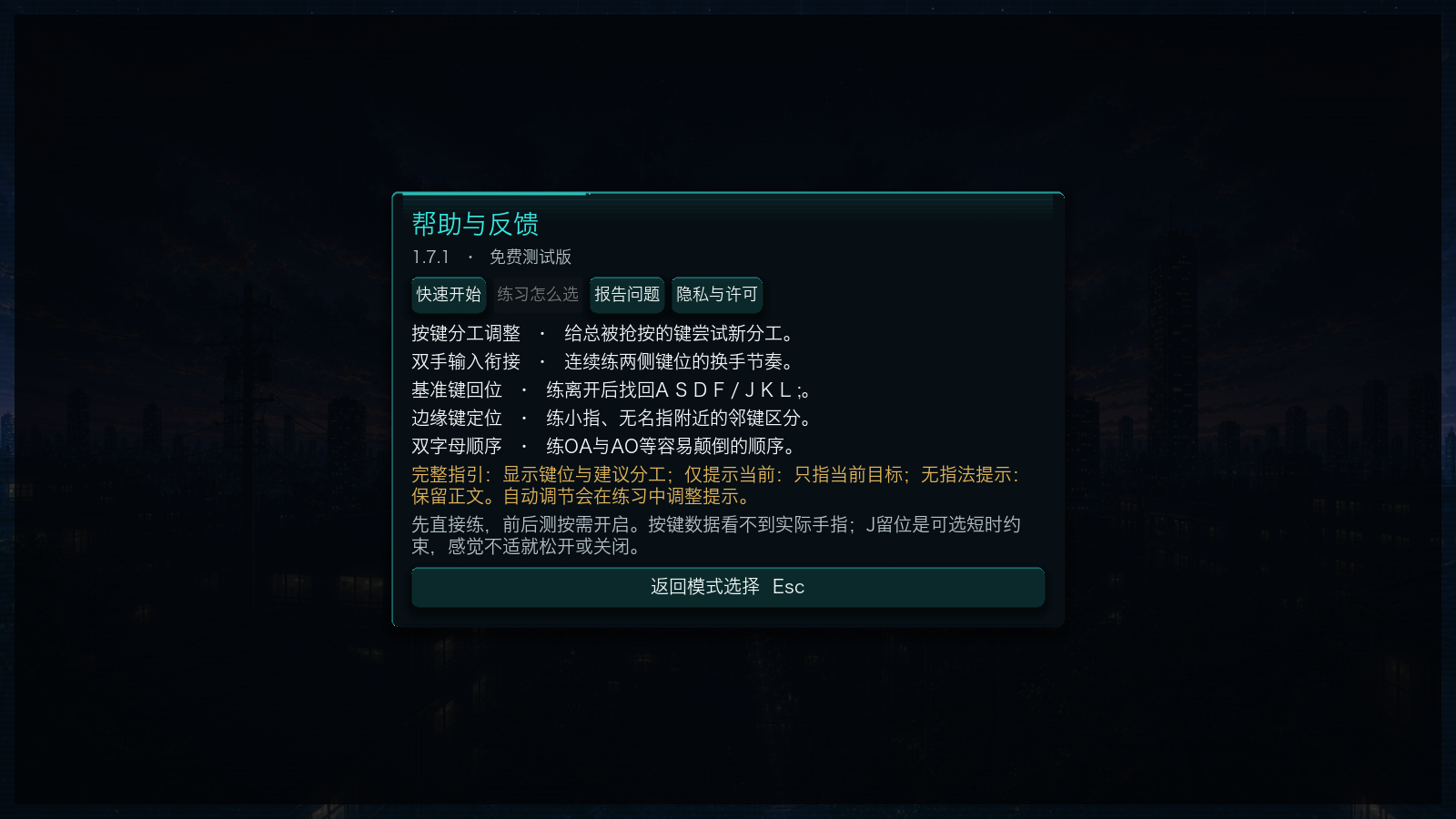
- 按键分工调整 · Key assignments: 给常被抢按的键尝试新分工。Practice your chosen finger assignment for selected keys.
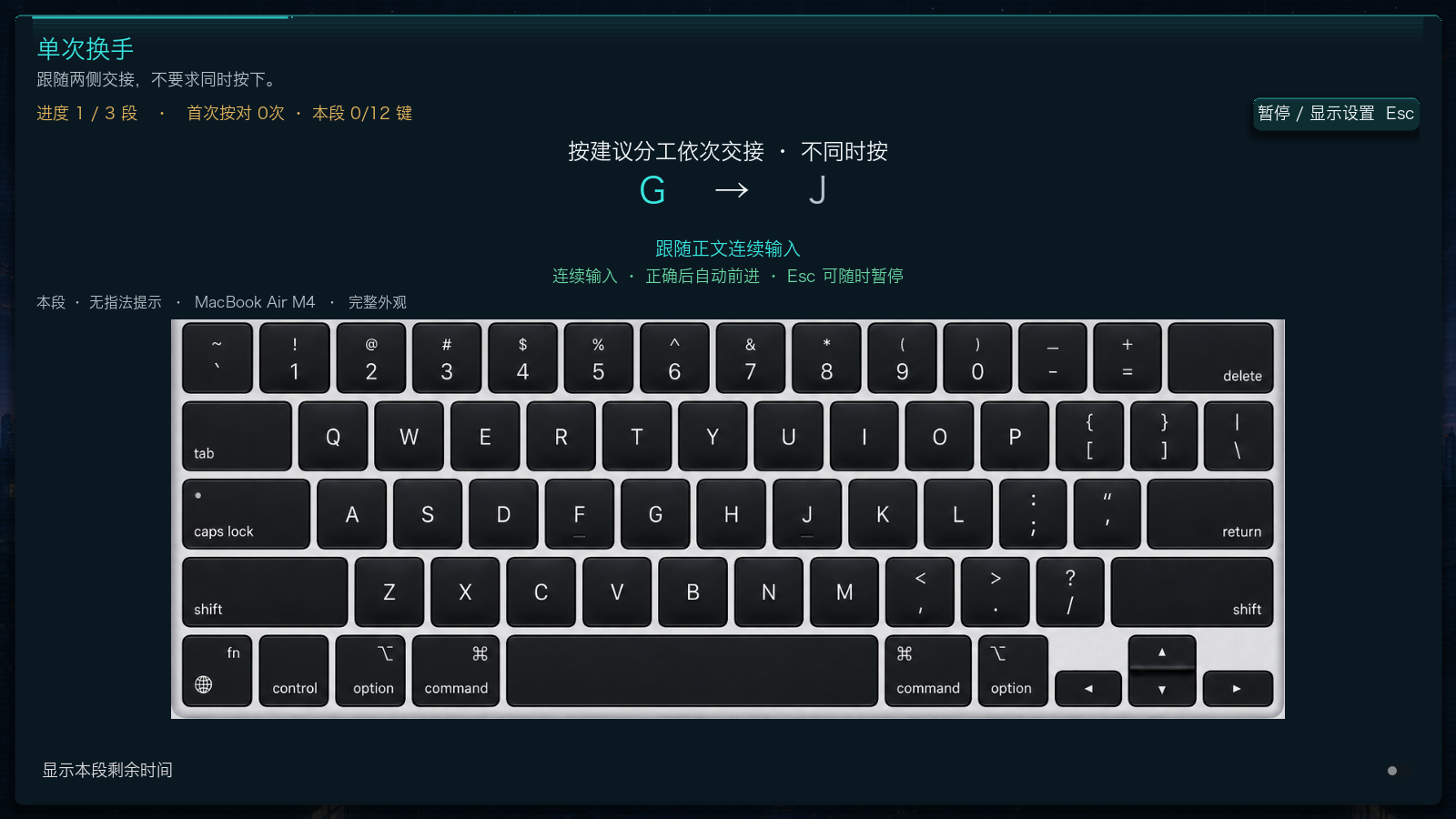
- 双手输入衔接 · Hand transitions: 连续练两侧键位的换手节奏。Practice a steady rhythm across both sides.
- 基准键回位 · Home-row return: 练离开后找回基准位。Practice returning to your home-row position.
- 边缘键定位 · Outer-key accuracy: 分清容易混淆的邻键。Distinguish adjacent keys near the keyboard edges.
- 双字母顺序 · Letter order: 练OA/AO等易打反的组合。Practice pairs that are easy to reverse.
还有计时挑战、课程与题材练习。两套霓虹界面共用玩法,键盘参考可切换,指引可逐步减少;前后测按需开启。
Timed challenges, courses, and topic practice are also included. Both themes share the same gameplay. Choose your keyboard reference and hint level; before-and-after comparisons are optional.
快速开始 / Quick start
Mac免费试玩现已开放。当前先提供Mac下载;Windows版待实机测试后开放。Mac版尚未获得Apple公证,首次打开说明见下载窗口。
The free Mac test is available now. Windows downloads will follow after testing on Windows hardware. The Mac app is not notarized by Apple; see the download window for first-launch instructions.
需要实体键盘。切到英文输入法,连续输入无声调全拼;不用输入拼音间的空格。Backspace改错,Esc暂停,F11全屏。
Interface: Simplified Chinese, with Pinyin prompts. Switch your input method to English and type the displayed toneless Pinyin continuously. Displayed gaps do not require spaces. Backspace corrects input; Esc pauses; F11 toggles full screen. This build focuses on Pinyin keystrokes. Records stay on your device.
免费测试,体验全部现有玩法 / Free test, all current modes
免费测试版开放当前版本全部已实现的玩法,没有付费解锁。你可以完整体验计时挑战、课程、题材练习与指法协调的五种专项路线。当前关闭付款;未来更完整时,再考虑约6元的正式版,后续内容与价格另行说明。
The free test build includes every gameplay mode implemented in this version, with no paid unlocks. Explore timed challenges, courses, topic practice, and all five coordination routes. Payments are disabled. A larger paid release may follow; future content and pricing will be announced separately.
普通按键能记录时间与错误,不能识别实际手指;短期成绩变化不代表已经纠正习惯。
Key events measure timing and errors, not which fingers you use. Short-term score changes do not establish lasting improvement.
你的反馈,让游戏变成你爱的样子
Help make this a game you love.
任何影响体验的问题都欢迎:玩法、界面、文字、声音、下载安装、适配、卡顿或崩溃。也欢迎分享喜欢的设计,以及希望加入的功能。反馈不局限于打字问题。
All feedback is welcome, from gameplay, interface, text and sound to installation, compatibility, lag or crashes. Tell us what you enjoy and what you would like to see next.
到本页问题讨论区留言,或使用游戏内帮助与反馈复制模板。中英文都欢迎。我通常每周集中整理反馈,并在有处理进展时更新说明。
Post in the discussion board below, or use the copyable template in Help & Feedback. Chinese and English are both welcome. I usually review feedback in a weekly batch and share updates as fixes or changes are made.
报错时建议附版本、系统、模式、操作步骤,以及预期与实际结果;发布前检查文字和截图,避免公开私人信息或训练档案。Email: 2903006193@qq.com.
For bug reports, include the version, operating system, mode, steps, expected result and actual result. Check text and screenshots before posting; do not share private information or training archives.
AI参与制作。初衷是提升自己,并享受每一次游戏挑战。 Created with AI assistance, for personal progress and the joy of play.
Download
Install instructions
Mac免费测试版 · 完整解压后再启动
在macos文件夹打开NeonTouchTyping.app,无需安装Godot。切到英文输入法,连续输入无声调全拼,显示间隔不用输入空格。更新前在「设置与数据」导出训练档案。
首次打开:应用尚未完成Developer ID签名与Apple公证。若提示开发者无法验证或Apple无法检查,只有确认来源可信时,才由你本人决定先尝试打开,再到「系统设置→隐私与安全性→仍要打开」确认这一个应用。不要关闭全局保护。若提示应用损坏或会损害电脑,请停止并反馈准确提示。Apple官方说明
测试范围:实际浏览器下载包已在Apple Silicon Mac启动到主菜单;完整试玩和更多设备测试仍在进行。通用包包含Intel版本,但Intel Mac未实测。Windows下载待实机测试后开放。
Free Mac test · Extract the entire ZIP before starting
Open NeonTouchTyping.app in the macos folder. The Godot editor is not required. Switch your input method to English and type toneless Pinyin continuously, without spaces. The interface is in Simplified Chinese. Export your training archive from「设置与数据」before upgrading.
First launch: The app has no Developer ID signature or Apple notarization. If your Mac says the developer cannot be verified or Apple cannot check the app, only if you trust the source, you can choose to try opening it, then go to System Settings > Privacy & Security > Open Anyway and confirm this specific app. Do not turn off global protections. If the app is reported as damaged or harmful, stop and report the exact message. Apple's instructions
Test status: The actual browser-downloaded package has launched to the main menu on Apple Silicon. Full play sessions and other devices are still being checked. Intel Mac has not been tested on physical hardware. Windows downloads will follow after hardware testing.